Messages
- 3.9
- Rating
- 10.00M
- Installs
- Free
- Price

 Analysis by App-foxy
When I need to send a conventional text message quickly, I want the process to stay out of the way: open the conversation, find the right person, write clearly, and send without wrestling with a crowded screen. That is the basic promise I found in Messages, a communication app from Messages - SMS Messenger. It is free to install, aimed at Everyone, and works on devices running Android 7.0 or later. After using it as a practical SMS tool rather than treating it like a full social platform, I came away with a fairly clear view: it is useful when your priority is straightforward texting, but it is not automatically the best replacement for every messaging service on your phone.
The app has a 3.9 average from around 143 thousand ratings and has passed 10 million installs, so it is far from an obscure download. Its current version is 2.4.3, and the app was released on November 25, 2023. Those details matter less than the way it fits into a real texting routine, though. The important question is whether it makes the journey from an incoming message to a useful reply smoother than the app you already use.
From an incoming text to a completed conversation
I’ll focus here on what happens between receiving a text and bringing the exchange to a useful close, including the small checks that help prevent a rushed reply from creating more work. In my experience, treating the conversation as a short, complete task makes the app’s straightforward approach more valuable. That also gives us a practical way to judge how it holds up when messaging gets busy.
You May Also Like

 Blood Strike: 2.5 Anniversary
Blood Strike’s Loadouts Turn Every Drop Into a Tactical Gamble
A close look at Blood Strike’s custom loadouts: how fast access to signature weapons reshapes its battle royale rhythm, rewards preparation, and narrows the gap between fights.

 Pandora - Music & Podcasts
Pandora’s Music Is Easy to Start, but Harder to Recover
Pandora’s strength is its low-effort path from a seed to a station. Its weak spot is how much confidence it asks you to place in connection, setup, and quiet recovery.

 8 Ball Pool
 Is Built on Rivalries, Rematches, and Routine
A close look at the rivalries, rematches, shared routines, and unanswered safety questions that turn a quick pool match into a persistent mobile community.

 Samsung Music
’s Quiet Strength Is Playing What You Already Own
Its reach comes less from spectacle than from dependable access to a personal library. That simplicity is both the app’s strongest retention engine and its ceiling.

 AccuWeather: Weather Radar
AccuWeather Review: A Quick, Clear Forecast for Everyday Decisions
For everyday plans, the best forecast is the one you can understand quickly. AccuWeather makes rain timing, radar, and local conditions easy to act on, with a few trade-offs.

 Hill Climb Racing
Why Hill Climb Racing Still Turns Crashes Into One More Run
A tiny car, a bumpy hill and one more upgrade: Hill Climb Racing keeps resurfacing because its simple chaos makes every near-miss feel personal.
More From Our News Desk



Starting with the everyday problem
My most realistic test was not a long conversation or a carefully staged demonstration. It was the kind of situation most people recognize: I needed to contact someone who might not be checking a data-based chat service, and I wanted the message to reach a normal phone number. That immediately puts this app in a different lane from services built around accounts, channels, stickers, or group communities. Its value begins with the old-fashioned but still important SMS workflow.
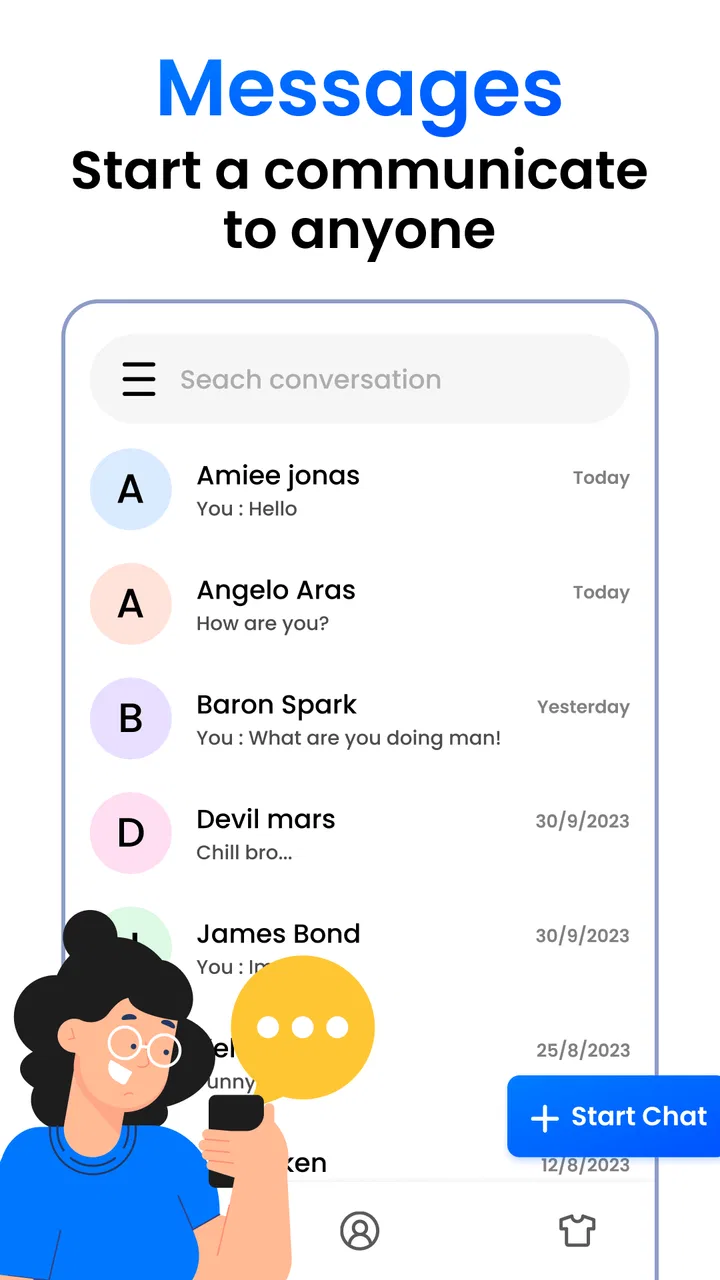
I found the cleanest way to judge it was to start with a simple task: open the app, locate an existing contact, write a short message, and check the conversation before sending. This is where a messaging app earns its place. If the interface makes the contact list difficult to scan or turns a short exchange into unnecessary navigation, speed no longer matters much. Messages feels designed around reducing that initial hesitation, with the conversation itself remaining the center of attention.
That focus is especially helpful for people who use texting for practical coordination. A family member may need a pickup time, a colleague may need a quick confirmation, or a service provider may send a one-off update. In those cases, I do not need a social feed or a separate profile system. I need a readable thread and a dependable path to a reply. The strongest part of Messages is its directness: it treats a text conversation as a task to complete, not a place to linger.
There is also a useful distinction between installing an SMS application and moving your entire communication life into it. I would not approach this app expecting it to replace every chat tool. Instead, I would use it for the phone-number conversations that benefit from a simple, familiar structure. That narrower expectation makes the experience more satisfying and avoids comparing it unfairly with apps built for internet messaging.
Writing the message without losing the thread
Once I was inside a conversation, the practical advantage was the ability to keep the message and the previous exchange in the same view. That sounds basic, but it affects accuracy. When I am replying about an address, appointment, delivery, or time, I often need to check what was already said. A conversation-first layout helps me avoid sending a correction that ignores the earlier context.
My preferred workflow is to read the latest incoming text twice, draft the reply in a single sentence, and then review the recipient and wording before sending. Messages works well with that habit because it does not force the writing stage to compete with unrelated content. For short messages, this makes the app feel fast in a meaningful way: the speed comes from fewer distractions and less mental switching, not just from opening quickly.
A small but valuable habit is to use the conversation history as a handoff point. If I start a discussion on one device and later need to continue on another, I want the thread to remain understandable rather than relying on memory. I would still check that the relevant exchange is visible before composing a sensitive or time-dependent reply. That check is more important than typing speed, especially when several chats involve similar names or overlapping plans.
The app is also a reasonable fit for someone who prefers conventional texting over account-based communication. A person who does not want to persuade every contact to install the same service can keep using phone numbers. The trade-off is that SMS is not the same as a modern internet chat experience. Anyone expecting rich collaboration, large media workflows, or advanced group tools should compare those needs carefully before making this their main messenger.
The handoff from contact selection to sending
Contact selection is one of the places where a simple messaging app can still create friction. A message is only useful if it goes to the intended person. My practical advice is to slow down for a moment when two contacts have similar names, especially if the conversation is about money, travel, health, or a private matter. The app can make the route to a conversation quick, but no interface can replace checking the recipient.
I also prefer beginning from an existing conversation when one is available rather than starting a new thread every time. That keeps the exchange together and makes later follow-up easier. For recurring arrangements, such as confirming a weekly collection or checking whether someone arrived safely, an uninterrupted thread gives me a better record of the discussion than scattered one-off messages.
For a new contact, I would treat the first message as a verification step. A short introduction that identifies me and explains why I am writing reduces confusion if the number is unfamiliar. This is not a special feature of the application; it is a workflow improvement that becomes more important when the app is used for ordinary SMS, where a mistaken recipient may not be obvious until after sending.
The free entry point is another practical advantage. I can try the app without paying at installation, which lowers the risk for someone who is unhappy with a current SMS interface. At the same time, in-app purchases range from $3.99 to $29.99 per item. I would therefore inspect any optional purchase screen carefully and decide whether the free experience already meets my needs. The app should be judged on the everyday messaging job first, not on an assumption that every extra is necessary.
What happens after the message leaves the screen
Sending is only one part of the outcome. The real result is whether the conversation remains useful afterward. I like to keep the thread as a record of the decision: the confirmed time, the agreed location, or the answer to a practical question. That makes the app more valuable than a blank compose screen because it supports the next step in the exchange.
Imagine coordinating a late pickup. I receive a text asking whether the meeting point has changed, open the conversation, answer with the updated location, and send it. The workflow succeeds when the recipient can understand the reply without needing another explanation. If the person responds with a follow-up question, I can continue in the same thread. If the situation changes again, the earlier messages provide a compact timeline that helps both sides stay aligned.
This kind of use also shows why I would not judge the app only by how quickly it opens. A fast interface is helpful, but clarity is the real outcome. A message that is sent rapidly to the wrong thread, or a reply that loses the context of the previous exchange, is not a successful workflow. Messages is at its best when its focused design encourages me to complete the whole task carefully.
There is a second handoff worth considering: moving from the app to a real-world action. A text may confirm a delivery, authorize someone to enter, settle a family plan, or tell a friend where to wait. In each case, the app is only the communication link. I would keep important instructions concise, include the one detail the other person needs to act, and avoid burying the key information in a long paragraph. The straightforward SMS format rewards that discipline.
Where this workflow becomes less comfortable
The same simplicity that helps with short exchanges can feel limiting when a conversation becomes more demanding. If I need a feature-rich group discussion, extensive media sharing, or a service where messages are tied closely to an online identity, I would look at an established internet messenger instead. Those alternatives may offer a broader communication environment, while Messages is more narrowly focused on texting.
That does not make the app poor; it defines the boundary of its usefulness. Someone who mainly sends brief phone-number messages may appreciate the lighter approach. Someone who expects every contact to appear in one connected, feature-packed network may find the experience too basic. The right choice depends on whether the starting condition is “I need a better SMS routine” or “I need a complete online communication platform.”
I would also avoid assuming that a lightning-fast messaging experience eliminates every possible delay. The app can streamline composing and navigating, but the final delivery experience depends on the wider SMS process and the recipient’s situation. If a message is urgent, I would not rely on the visual act of pressing send alone. I would use another appropriate way to confirm receipt when the consequence of missing the message is serious.
Another point of friction is switching habits. If I already have years of messages, contacts, and routines in another messaging application, moving to a new one may require patience. The benefit has to be visible in daily use: quicker access, clearer threads, or a more comfortable writing experience. Without that improvement, installing another SMS app can simply add another layer of choice rather than solving a problem.
Who will get the most from it
I would recommend Messages to someone who wants a dedicated, uncomplicated way to handle SMS conversations and values a quick path from opening the app to sending a reply. It is particularly suitable for practical communicators: people coordinating with family, answering occasional service texts, keeping in touch with contacts who use ordinary phone numbers, or replacing a cluttered messaging interface.
It can also suit users with older Android devices, since Android 7.0 is the minimum operating system listed for the app. That does not guarantee identical performance on every phone, but it does make the compatibility range more approachable than an app restricted to newer systems. The Everyone content rating also fits its general-purpose communication role.
I would be more cautious about recommending it as the only messenger to someone whose conversations depend on advanced online features. If your daily communication revolves around large groups, rich media, collaborative sharing, or a network where everyone already uses the same account-based service, another option may be a better primary tool. Messages can remain useful for SMS, but it may not cover the rest of that person’s communication needs.
The developer, Messages - SMS Messenger, has built the app around a familiar category rather than trying to turn texting into something unrelated. That restraint is part of its appeal. The app’s 3.9 average and broad install base suggest that many people find it serviceable, while the rating also reminds me not to describe it as flawless. I see it as a focused utility with a clear audience, not a universal winner.
My practical setup and usage advice
If I were handing this app to a friend, I would suggest starting with three simple tests. First, open an existing conversation and see whether the latest exchange is easy to understand. Second, start a new message to a familiar contact and check how confidently you can identify the recipient. Third, complete a real low-stakes task, such as confirming a time, and notice whether the app makes the process calmer than your current choice.
I would then keep a deliberate review step before sending. Read the contact name, scan the message for the one detail that matters, and make sure the reply belongs in that thread. This is especially useful when a phone contains several similar conversations. The app’s speed is most valuable when paired with that small pause, because the goal is a correct outcome rather than merely a fast tap.
For people considering an optional purchase, I would use the free version long enough to identify a genuine limitation before spending anything. Since individual in-app items can cost from $3.99 up to $29.99, the sensible approach is to connect a purchase to a specific need rather than buying out of curiosity. If the basic SMS workflow already feels comfortable, there may be no reason to add anything.
I would also keep expectations realistic when comparing it with the usual alternatives. Against a default phone messaging app, the deciding factor is personal comfort: if Messages makes conversations easier to scan and replies easier to complete, the switch can be worthwhile. Against internet messengers, the comparison is less direct. Those services may be better for feature-rich communities, while this app makes more sense when the phone number itself is the center of the exchange.
The final outcome after living with the workflow
After following the complete path from an incoming text to a finished exchange, I see Messages as a practical, focused communication app rather than a dramatic reinvention of messaging. Its main strength is that it keeps attention on the conversation and the next useful action. That makes it easy to recommend for people who want a cleaner SMS routine without adding social complexity.
Its limitations are equally clear. The app is not the right answer for every kind of chat, and a fast interface cannot solve the broader constraints of SMS or guarantee that every conversation will feel as rich as an internet-based alternative. Users with demanding group or media needs should choose a service built around those priorities instead.
For me, the deciding question is simple: do you want a direct tool for phone-number messaging, or are you looking for a complete communication ecosystem? If the first description matches your starting condition, I think this app is worth trying. It is free to begin with, supports Android devices from version 7.0 onward, and keeps the path from contact to reply pleasantly uncomplicated. Choose it for focused texting, not for features it was never meant to replace.
That is where I land after using it as part of a real workflow. Messages succeeds when the job is to read, write, send, and keep the exchange understandable afterward. It becomes less convincing when the job expands into a full social or collaborative messaging platform. Within its intended lane, though, it offers a sensible and approachable way to handle everyday SMS conversations.
FAQs for Messages
01What features does the Messages app offer?
The Messages app provides a variety of features including SMS and MMS messaging, group chats, multimedia sharing (such as photos, videos, and audio messages), and the ability to send emojis and stickers. It also integrates with other apps for enhanced functionality like location sharing and voice typing.
02Is the Messages app secure and private?
Yes, the Messages app is designed with security in mind. It supports end-to-end encryption for messages, ensuring that only you and the person you're communicating with can read the content. Additionally, the app allows you to manage privacy settings, such as blocking unwanted contacts and reporting spam.
03Can I use the Messages app for international texting?
The Messages app supports international texting, allowing you to send messages worldwide. However, be aware that standard messaging rates may apply depending on your mobile carrier's international texting policy. It's recommended to check with your provider for any additional fees before sending international messages.
04Does the Messages app support multimedia and group messaging?
Yes, the Messages app enables both multimedia and group messaging. You can easily send and receive photos, videos, and voice messages. Additionally, group messaging allows you to communicate with multiple contacts at once, making it simple to stay connected with family, friends, or colleagues.
05How can I customize my experience in the Messages app?
The Messages app offers various customization options to enhance your messaging experience. You can personalize chat backgrounds, adjust notification settings, and choose custom ringtones for different contacts. Additionally, users can organize messages into folders or categories for better management and accessibility.
Pros
- Intuitive and user-friendly interface.
- Supports various multimedia formats.
- Seamless syncing across devices.
- End-to-end encryption for privacy.
- Customizable notifications settings.
Cons
- Limited customization options.
- Occasional syncing delays.
- Not all features are free.
- Requires regular updates.
- Can be storage-intensive.

Messages
Gallery